
An inspection app that does not care whether you have signal
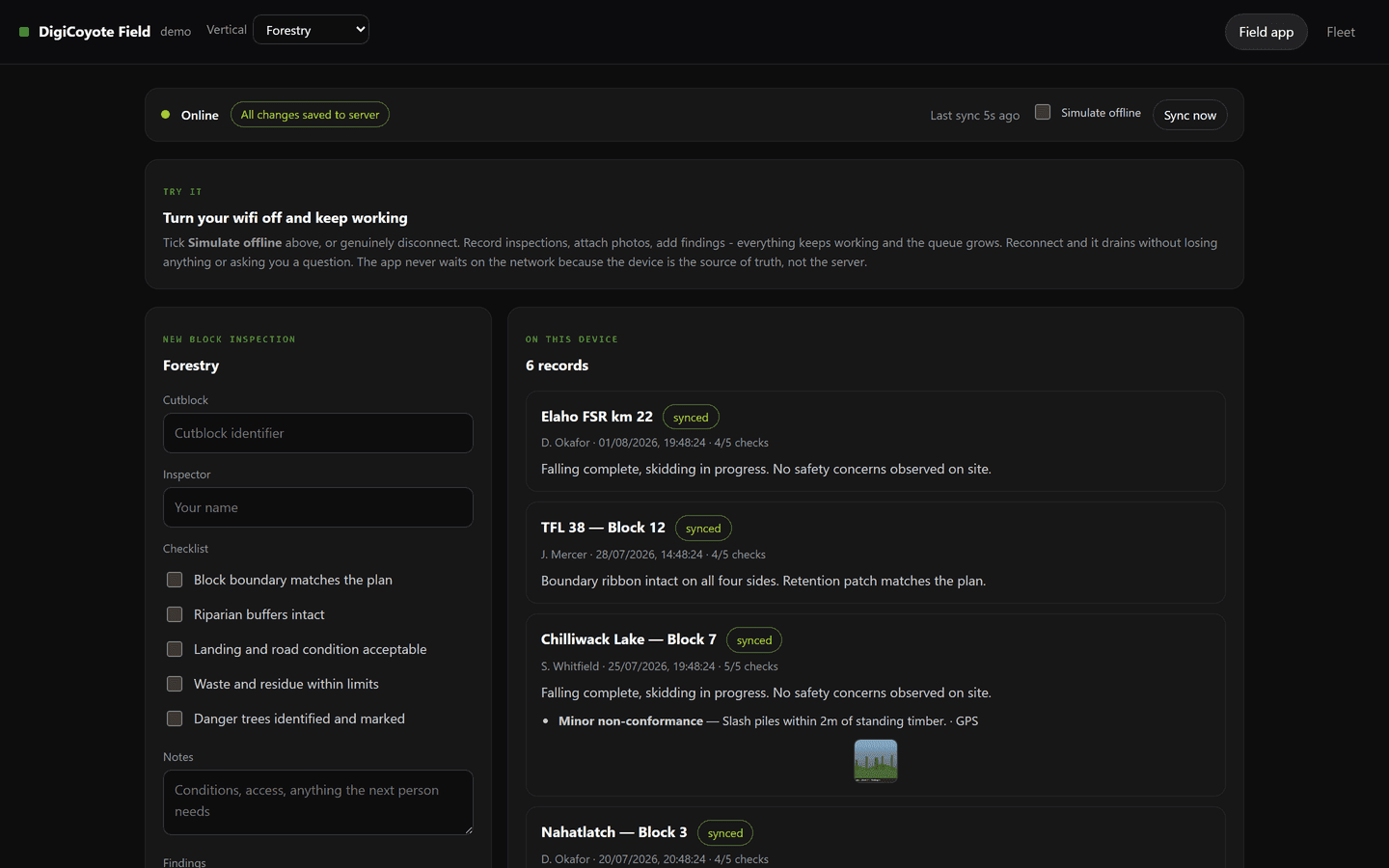
A working field inspection app you can try yourself. Turn your wifi off, keep recording - photos, GPS, checklists - then reconnect and watch the queue empty. Built by us, running live, and open to anyone who wants to test the claim rather than take our word for it.

Scan to open it on your phone.
- Yourself
- Try it
- Turn your wifi off and keep working
- A link
- Install
- No app store, no IT request
- 4
- Verticals
- One build, re-skinned per industry
- Fully
- Works offline
- Capture, photos, GPS, checklists
The challenge
Field software is usually written as though the network is always there, and then handed to people who work where it is not. A cutblock, a basement containment, a vessel alongside, a substation up a forest service road - the phone shows one bar and the app shows a spinner.
What crews do next is the actual cost. They write it on paper and type it in that evening, or they stand in the one corner of the site with reception, or they lose the photo. The software did not fail loudly; it just made itself useless at the moment it was needed, and everyone worked around it.
We kept describing this on sales calls. It is a much better argument when the person can prove it to themselves in fifteen seconds.
What we did
So we built it and put it on the internet. This is the whole journey, and you can walk it yourself at the link below.
1. An inspector is sent a link. No app store, no IT request - it opens in the browser on their phone.
2. They tap Add to Home Screen. It now has an icon and opens full screen like any other app.
3. They open it once while they still have signal. It quietly stores what it needs to run: the app itself, their checklist, and any work already assigned. From then on it does not need the internet to start.
4. Signal disappears on the way out. The app notices, says Offline, and carries on. Nothing greys out and nothing is disabled.
5. They start an inspection - block or asset number, their name, and work through the checklist by tapping.
6. They find a problem, tap Add with photo, and the camera opens. The photo is tagged with exactly where they were standing, because GPS is satellites rather than the phone network and works with no signal at all.
7. They pick a severity from a list that matches their industry, and type a note. Repeat for anything else on site.
8. They hit save. It saves instantly - no spinner, no waiting, no failed to connect. A small counter appears: one waiting to sync.
9. They do four more sites. The counter reads five. The phone can go flat and the app can be closed; the records are still there.
10. Signal comes back on the way home and the app sends everything on its own. Five, three, one, then all changes saved. Nobody pressed anything and nobody was asked to resolve a conflict.
Underneath, the device is the source of truth rather than a cache of the server. The interface never waits on the network, and syncing is a background reconciliation that is allowed to fail and try again. Two details matter more than they sound: the sync position is tracked by a server sequence rather than a timestamp, because field devices have wrong clocks as a matter of routine; and when two people edit the same record the newer wins while the older is kept and flagged, because silently discarding somebody's field notes is the worst thing this kind of system can do.
The outcome
It is live, and it re-skins per industry. The same build runs as forestry, marine survey, abatement or utilities - vocabulary, checklist and severity ladder all change - so a prospect can be sent a link already speaking their language rather than a generic demo they have to translate.
The second tab shows our own production infrastructure watched by the same platform: a server reporting its memory, load and disk, and four live sites probed over HTTPS. Every number there is measured. Devices with no hardware attached say so rather than being given invented readings.
Being straight about the limits, since this is a demo rather than a product. It syncs when the app is open with a connection - browsers cannot reliably send while closed, particularly on iOS - so it is right for back at the truck rather than uploading from a pocket. Photos are held in a form that is fine at this scale and would be done differently at a season's worth. And anything typed into it is public and cleared periodically.
It exists because a demonstration beats a description. Anyone can claim their software works offline.